Guide
How to make pixel art on a Mac
Crisp 8-bit style pixel art with a grid and square blocks, shown with a real recording.
Updated October 20, 2026
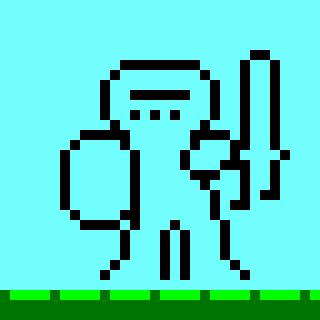
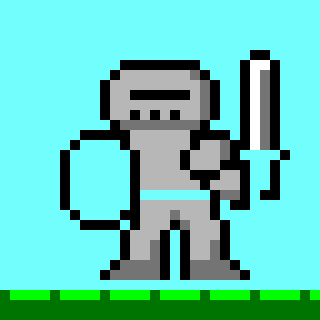
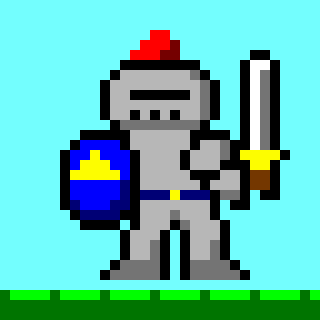
Pixel art is made of square blocks of solid colour with crisp edges. The easiest way to get that in Easy Paint Pro is to draw on a grid with “big pixels”: each block is a small square snapped to the grid, filled with one colour. This is exactly how the knight below was made, recorded straight from the app.
Step by step
Make a small canvas
Click + beside your tabs for a new canvas. Double-click the size at the bottom of the window and enter an exact size, for example 320 × 320. That gives you a 32 × 32 picture made of 10-pixel blocks.
Turn on the grid
Choose and enter 10. Then turn on and .
Fill the background
Pick a colour and use Fill to paint the sky, then the ground.
Place the blocks
Choose Rectangle, set the shape finish to a solid fill, and drag one 10 × 10 square at a time. They snap to the grid, so the edges stay crisp. Outline first in a dark colour, then fill in the details.
Zoom in for detail
Hold Shift and scroll to zoom around the pointer, all the way to 3,200%. Command–Z undoes a misplaced block.
Export
Use . For a true 32 × 32 sprite, first choose , resize by percentage to 10%, and choose the crisp pixel-art option so the blocks don’t blur. Resize up the same way for sharing.

Tips
- Use a small palette. Four to eight colours look the most “8-bit”.
- Why not the Pencil? Pencil and brushes draw smooth, anti-aliased lines, which is what you want for sketches but not for pixel art. Snapped blocks and Fill keep every edge hard.
- Record it. captures your picture coming together, and you can export the replay as a video or GIF.