Guide
How to draw and write on a picture on a Mac
Draw, highlight, add arrows, text and stamps on a photo or screenshot, then save a copy.
Updated October 20, 2026
Circling something on a screenshot, labelling a photo, or adding a “Paid” stamp to a receipt: drawing on a picture is the thing people miss most from Paint on a Mac. Here’s how to do it in Easy Paint Pro and keep your original untouched.
Step by step
Open the picture
Drag a photo or screenshot onto the Easy Paint Pro window, or use . You can open several at once; each gets its own tab.
Draw or highlight
Choose Pencil or Brush for freehand lines. The brush list includes a highlighter, calligraphy pens, crayon and watercolour. Use the bracket keys [ and ] to change the size.
Point things out
Under Shapes you’ll find arrows, speech bubbles and symbols. Rectangle and Ellipse draw boxes and circles around things.
Add text
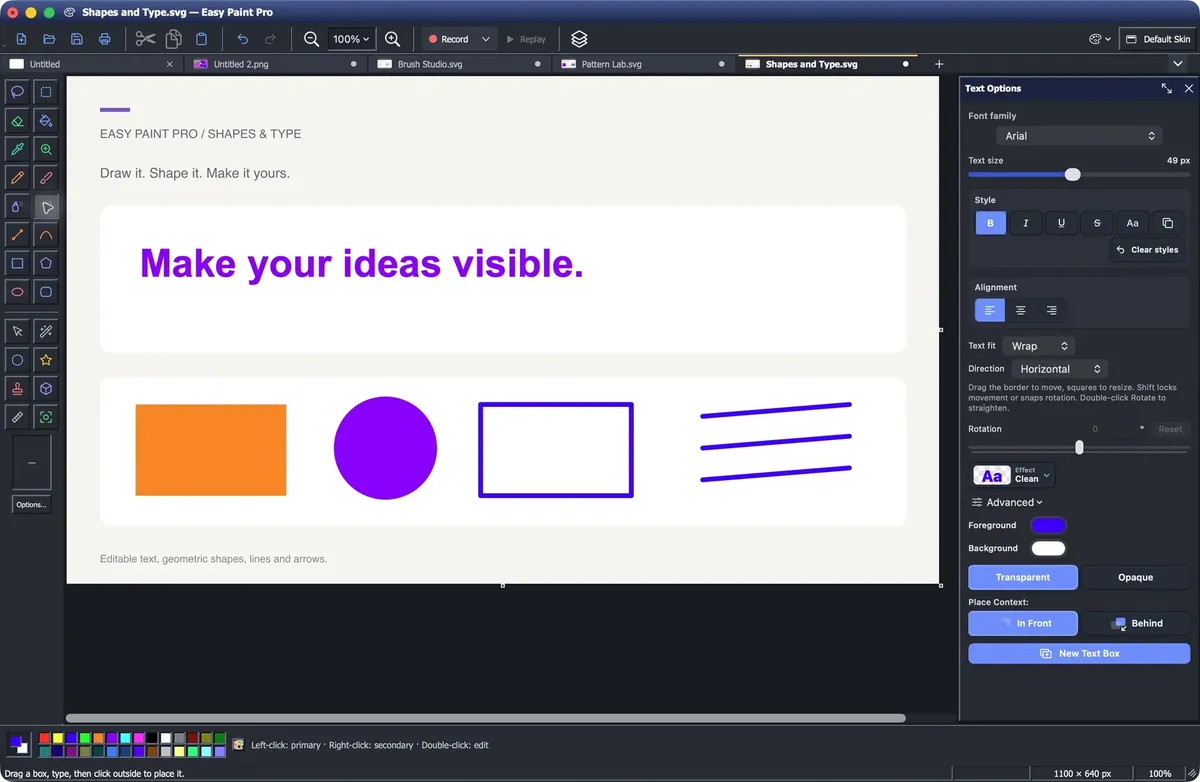
Choose Text, click where it goes and type. Pick the font, size, colour and style in the options. Press Command–Return to finish.
Stamp it
Stamp adds ready-made stamps such as Approved, Paid and today’s date, or your own wording.
Save a copy
Use to save a JPEG or PNG, or . Your original file stays as it was.
Change your mind later
Text, shapes, arrows and stamps you place stay editable objects. Choose Select, then click or double-click one to move it, resize it, restyle it or delete it. To keep them editable for next time, save a workspace with ; exported JPEG and PNG files are flattened.
The free option
Preview, which comes with your Mac, has a Markup toolbar with a pen, shapes, text and signatures. It’s handy for a quick note. Easy Paint Pro adds real brushes, a highlighter, fills, stamps, layers and tabs when you want more than a quick note.